

Installing EFK Stack in EKS

I am a Kubernetes Engineer passionate about leveraging Cloud Native ecosystem to run secure, efficient and effective workloads.
Intro
EFK stands for ElasticSearch, Fluentd and Kibana. It is similar to the ELK stack where we are replacing Logstash with Fluentd. This is a free, open-source alternative to Splunk for log aggregation, processing and visualisation. I have been going through the KodeKloud course on EFK stack but there you are using local volume for persistent storage which goes against the Kubernetes principles. Here I am trying to deploy the EFK stack on EKS cluster using EBS add-on.
Here is a small primer on tools that the stack is based upon
Elasticsearch
It is a distributed NoSQL database and search and analytics engine based on Apache Lucene. I have been using elasticsearch to store logs since the beginning of my career.
Fluentd
Fluentd is a lightweight log-forwarder and indexer. It is deployed as Daemonset and collects all the logs and forwards them to elasticsearch.
Kibana
Kibana is a querying and log-visualization dashboard. It can be used to query logs and application monitoring.
Creating EKS cluster
I have used eksctl command to create the cluster. There are more efficient ways like writing clusterConfig for more verbose and consistent cluster creation. But stupid me always do Ctrl+R to see and predict which cluster I have created previously😆
eksctl create cluster \
  --name test-efk-stack \
  --region us-east-1 \
  --version 1.29 \
  --with-oidc \
  --node-type t3.medium \
  --nodes 2 \
  --managed
Creating an IAM role and associating it with SA
eksctl create iamserviceaccount \
  --name "ebs-csi-controller-sa" \
  --namespace "kube-system" \
  --cluster test-efk-stack \
  --region us-east-1 \
  --attach-policy-arn $POLICY_ARN \
  --role-only \
  --role-name $ROLE_NAME \
  --approve
Now I am installing the EBS addon to the cluster
eksctl create addon \
  --name "aws-ebs-csi-driver" \
  --cluster $EKS_CLUSTER_NAME \
  --region=us-east-1 \
  --service-account-role-arn $ACCOUNT_ROLE_ARN \
  --force
The EBS csi driver is now installed.
➜  ~ k get pods -n kube-system
NAME                                  READY   STATUS    RESTARTS   AGE
aws-node-bpfkn                        2/2     Running   0          21m
aws-node-nbwm6                        2/2     Running   0          21m
coredns-54d6f577c6-4ghdt              1/1     Running   0          28m
coredns-54d6f577c6-hm5dj              1/1     Running   0          28m
ebs-csi-controller-86b8d8bb96-256dg   6/6     Running   0          3m1s
ebs-csi-controller-86b8d8bb96-kfzhb   6/6     Running   0          3m1s
ebs-csi-node-5jqfm                    3/3     Running   0          3m1s
ebs-csi-node-6rgjg                    3/3     Running   0          3m1s
kube-proxy-wl4z7                      1/1     Running   0          21m
kube-proxy-wxcls                      1/1     Running   0          21m
Note: I have followed parts of this blog post to create cluster
Installing Elasticsearch
We install the database first and then we will install Fluentd and finally Kibana.
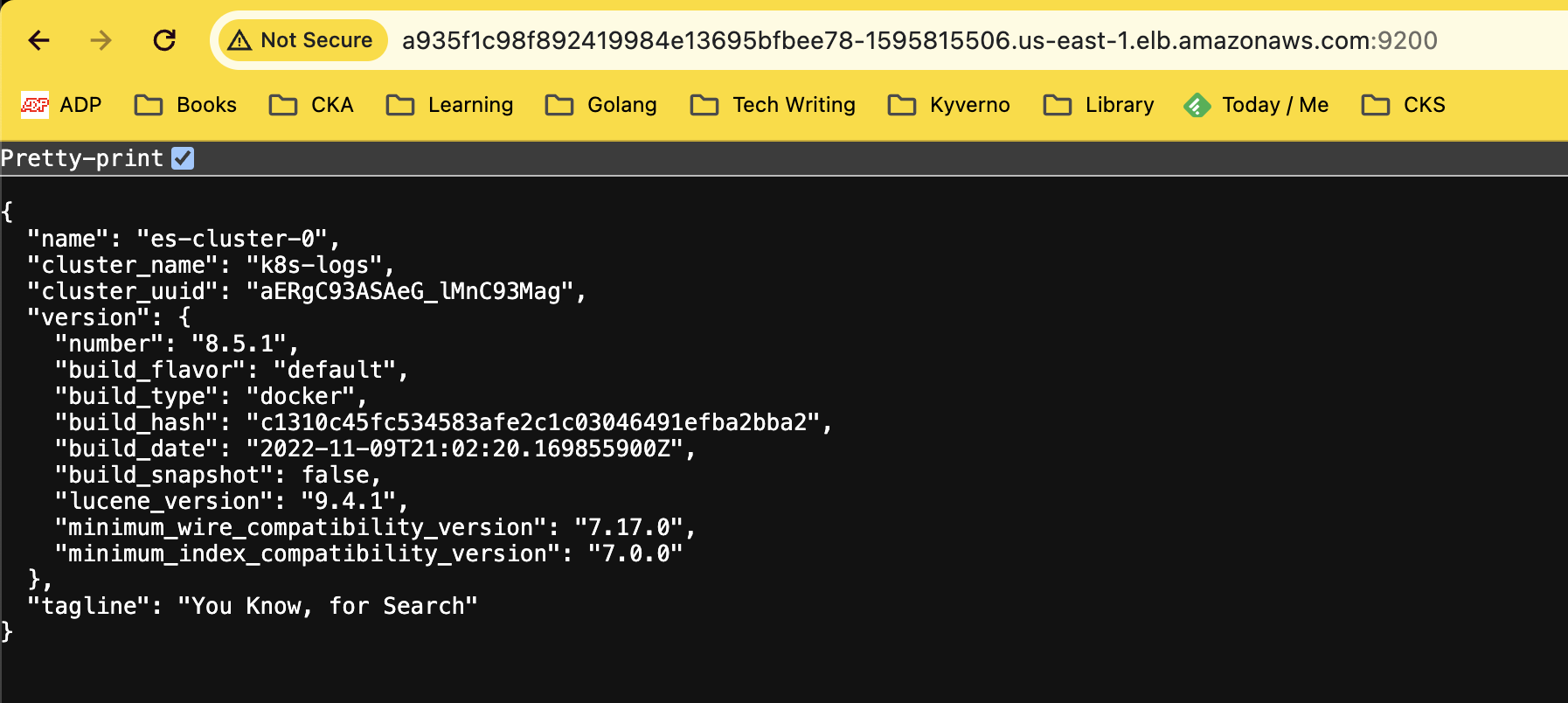
You can install using the Helm chart provided in this blog and I tried the same. But the problem is that in default provisions 3 pods and each pod provisions 30GB which is unnecessary. I can use my own values but I went in another way and installed Stateful set and Service directly using this github repo. I had to change some things around but it finally started to work.
apiVersion: apps/v1
kind: StatefulSet
metadata:
  name: es-cluster
  namespace: efk
spec:
  serviceName: elasticsearch
  replicas: 1
  selector:
    matchLabels:
      app: elasticsearch
  template:
    metadata:
      labels:
        app: elasticsearch
    spec:
      containers:
        - name: elasticsearch
          image: docker.elastic.co/elasticsearch/elasticsearch:8.5.1
          resources:
            limits:
              cpu: 1000m
            requests:
              cpu: 100m
          ports:
            - containerPort: 9200
              name: rest
              protocol: TCP
            - containerPort: 9300
              name: inter-node
              protocol: TCP
          volumeMounts:
            - name: data
              mountPath: /usr/share/elasticsearch/data
          env:
            - name: cluster.name
              value: k8s-logs
            - name: network.host
              value: 0.0.0.0
            - name: node.name
              valueFrom:
                fieldRef:
                  fieldPath: metadata.name
            - name: discovery.seed_hosts
              value: "es-cluster-0.elasticsearch"
            - name: discovery.type
              value: single-node
            - name: xpack.license.self_generated.type
              value: "trial"
            - name: xpack.security.enabled
              value: "true"
            - name: xpack.monitoring.collection.enabled
              value: "true"
            - name: ES_JAVA_OPTS
              value: "-Xms256m -Xmx256m"
            - name: ELASTIC_PASSWORD
              value: "elasticpassword"
      initContainers:
        - name: fix-permissions
          image: busybox
          command:
            ["sh", "-c", "chown -R 1000:1000 /usr/share/elasticsearch/data"]
          securityContext:
            privileged: true
          volumeMounts:
            - name: data
              mountPath: /usr/share/elasticsearch/data
        - name: increase-vm-max-map
          image: busybox
          command: ["sysctl", "-w", "vm.max_map_count=262144"]
          securityContext:
            privileged: true
        - name: increase-fd-ulimit
          image: busybox
          command: ["sh", "-c", "ulimit -n 65536"]
          securityContext:
            privileged: true
  volumeClaimTemplates:
    - metadata:
        name: data
        labels:
          app: elasticsearch
      spec:
        accessModes: ["ReadWriteOnce"]
        storageClassName: gp2
        resources:
          requests:
            storage: 5Gi
kind: Service
apiVersion: v1
metadata:
  name: elasticsearch
  namespace: efk
  labels:
    app: elasticsearch
spec:
  selector:
    app: elasticsearch
  ports:
    - port: 9200
      name: rest
    - port: 9300
      name: inter-node
  type: LoadBalancer
Installing Kibana and Fluentd
Kibana can be installed using simple Helm command
helm install kibana --set service.type=LoadBalancer elastic/kibana -n efk
After successfully installing Kibana, I have installed Fluentd and modified the config file as well.
Conclusion
EFK is a powerful opensource alternative for Splunk. This cost-effective solution works for the small to mid-level enterprises who have restricted budgets. In future articles we'll explore scaling and securing EFK stack.


